Xero error: Account must be valid; Tax rate must be valid
Problem Statement
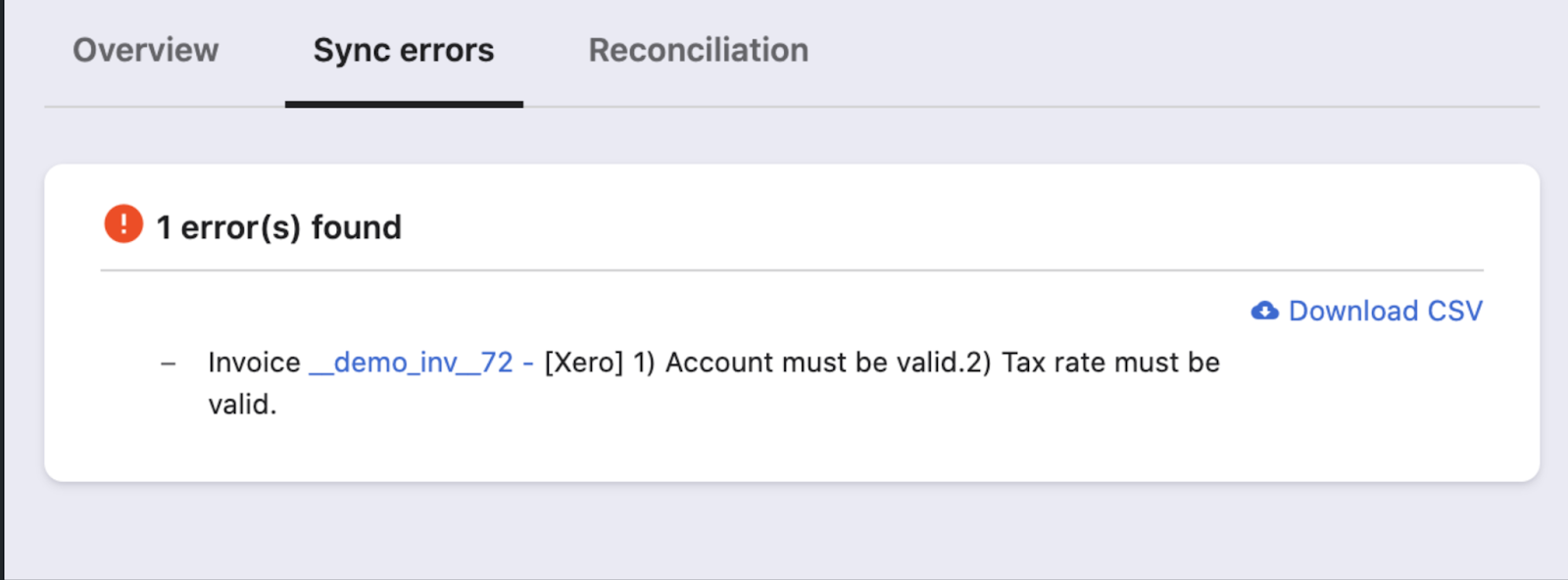
Sync from Chargebee to Xero fails with "[Xero] 1) Account must be valid. 2) Tax rate must be valid". Correct account and tax mapping is required.
Solution
In Manage Mapping for the Xero integration:
- Payments & Refunds must be mapped to a bank account (from Xero).
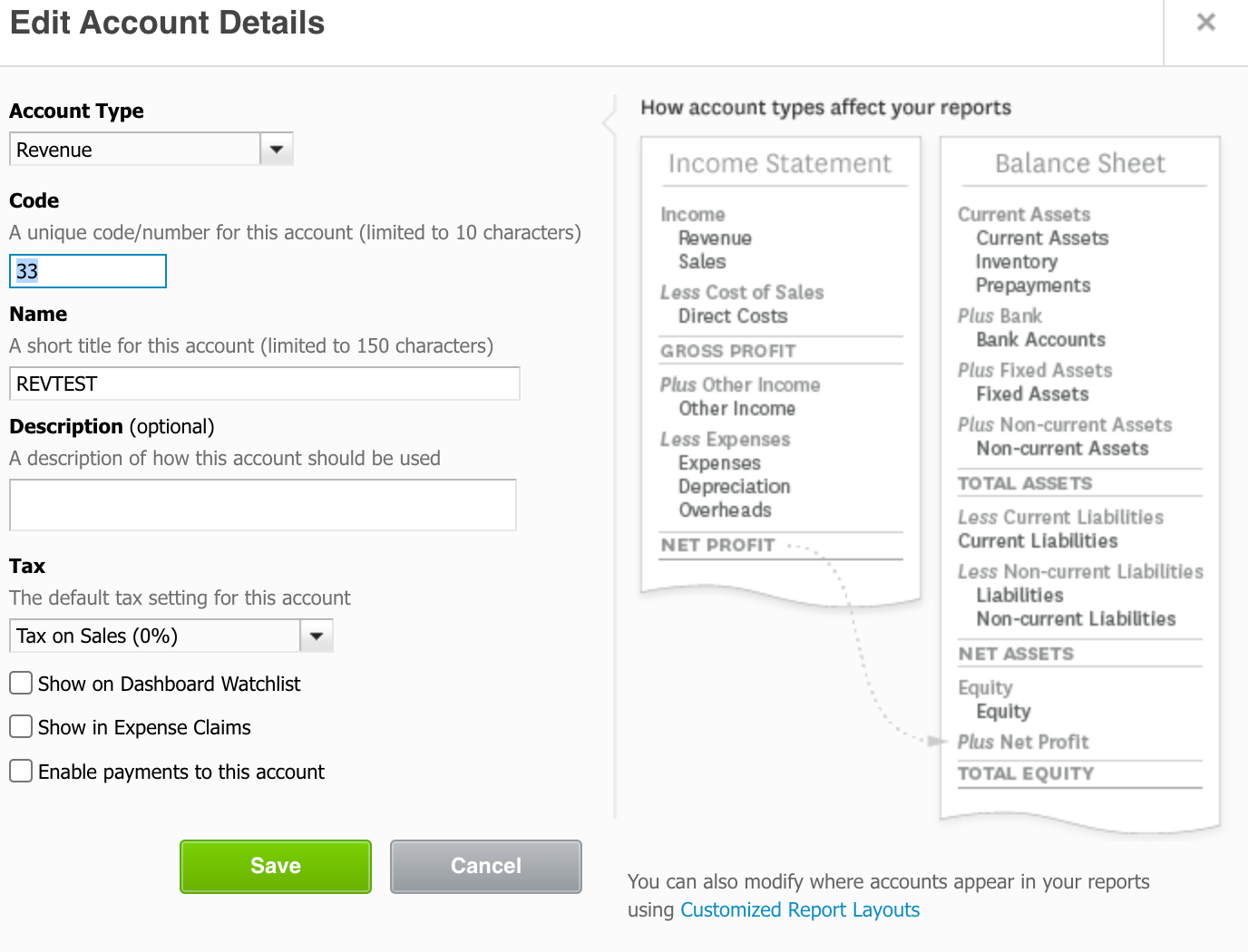
- Invoice line items must be mapped to a revenue/sales account (from Xero).
If either mapping uses an invalid account type (e.g. not a bank for payments, or not a revenue/sales account for line items), this error appears.
Steps to Set It Up
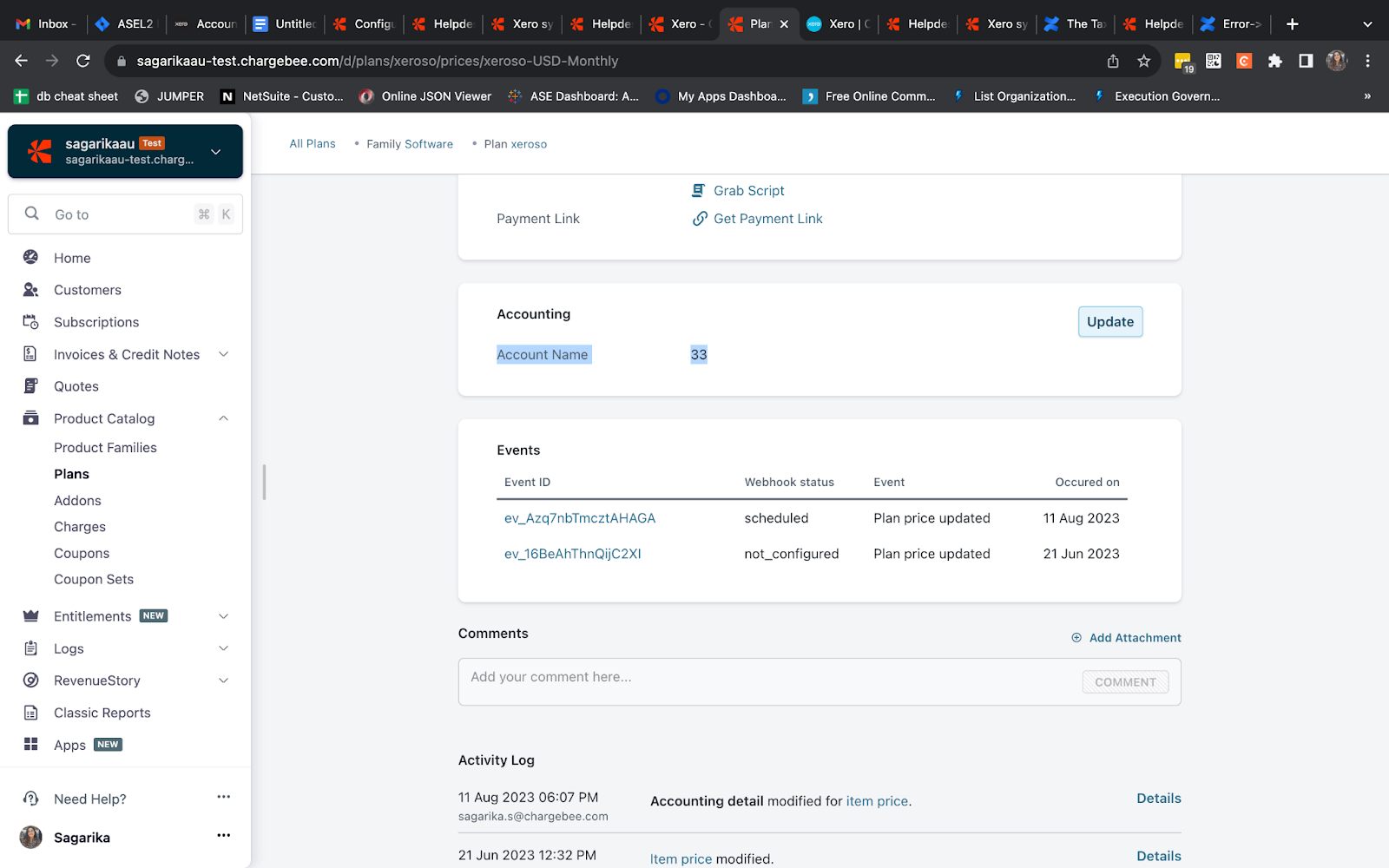
- In Chargebee, go to Apps → Xero → Manage Mapping. Ensure the account code used for invoice line items is a revenue or sales account from Xero’s Chart of Accounts
- Ensure the account code used for invoice line items is a revenue or sales account from Xero's Chart of Accounts.
- Ensure payments and refunds are mapped to a bank account.
- Save and retry the sync.
Related Articles
Show more
Was this article helpful?